Loading the schedule…
Welcome to Baza 2.0
Everything you do at Baza now lives in one place: classes, passes, account credit and private lessons. Here is what is new, and the three things to do first.
Sign inNew: search for anything
One search box for the whole studio: classes, teachers, prices, gift cards and answers to your questions. Results appear as you type.
Tap the search icon
It is at the top of every page (1).
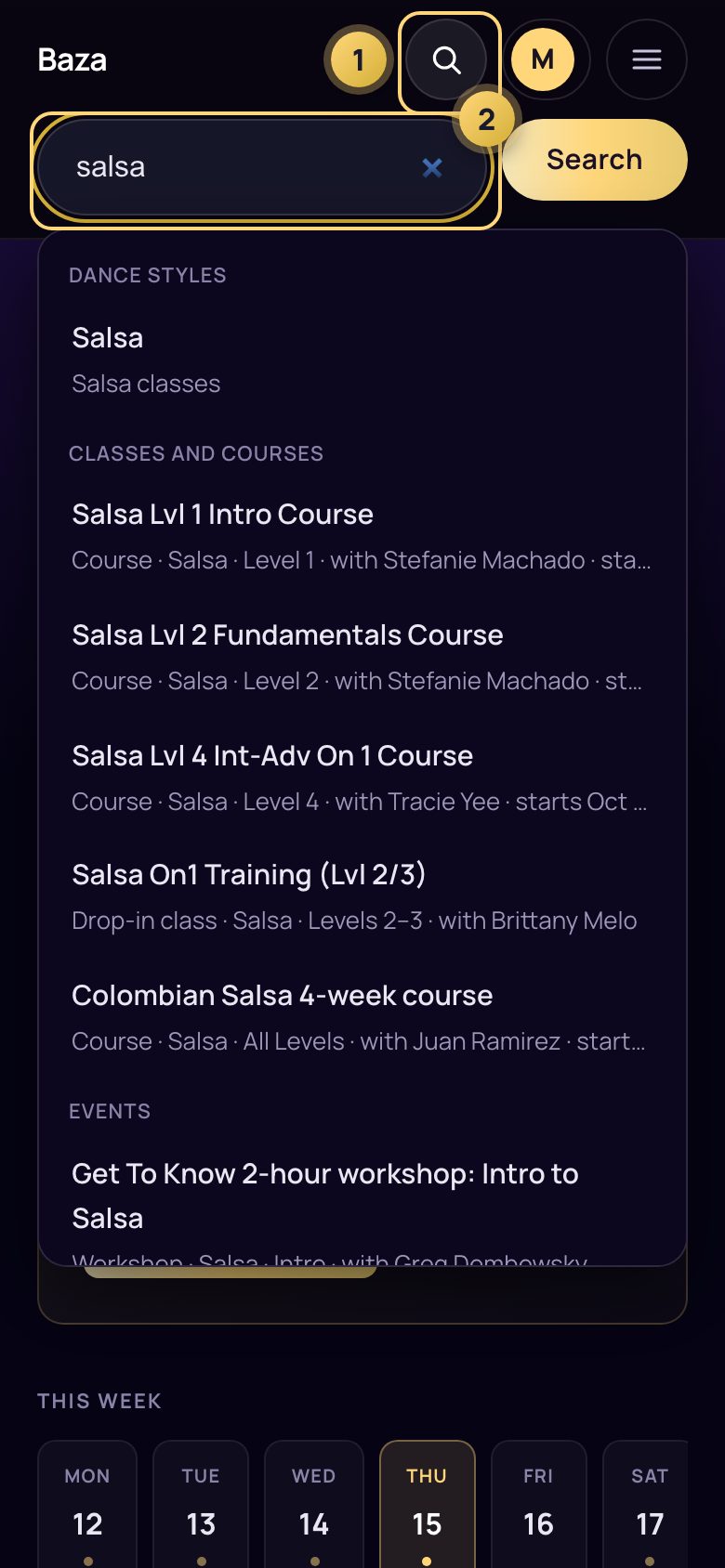
Type anything
A dance style, a teacher, a day, or a question such as "how do make-ups work" (2). Spelling mistakes are fine. Tap a result to go straight there.
Start here
Three steps, about two minutes.
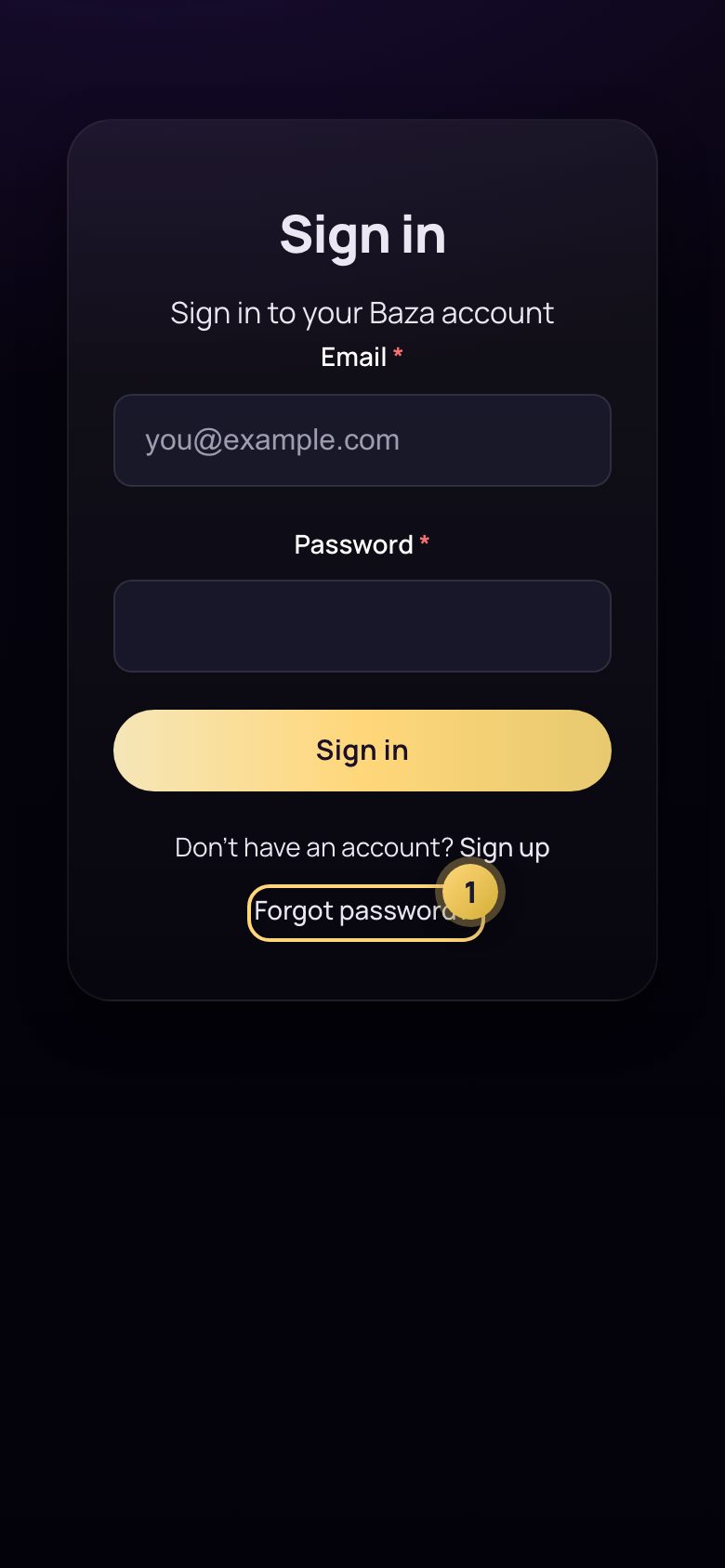
Sign in with the email you already use
Your account is already set up. The first time, tap Forgot password (1) and we will email you a link to choose your password.
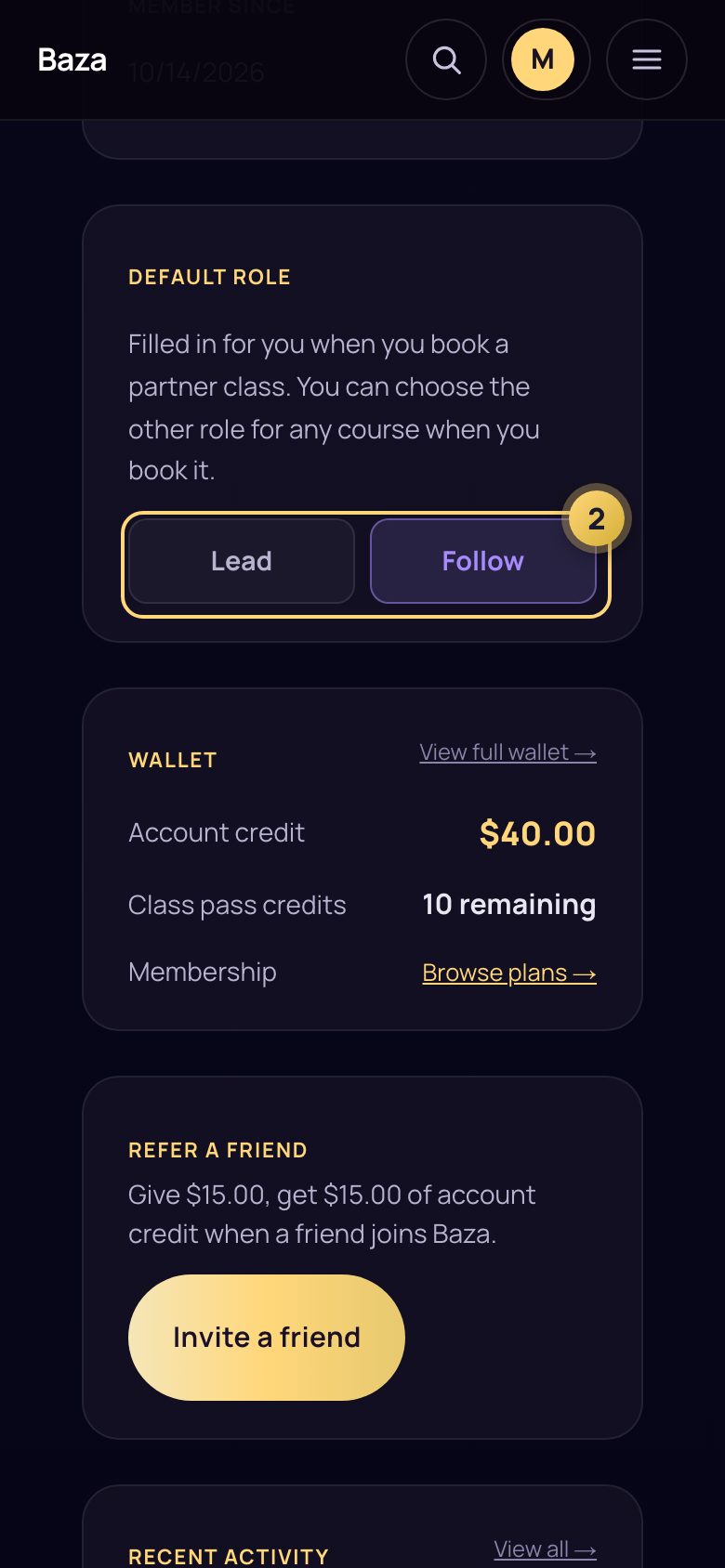
Set your default role
On your profile, choose Lead or Follow (2). We fill it in whenever you book a partner class. Dancing the other role in one course? Pick it when you book that course.
Sign the waiver, once
What is new
Search for anything
One box at the top of every page finds classes, teachers, prices and answers as you type.
Book in seconds
Pick a day, tap a class, done. Your pass or membership is used for you.
Waitlists that move you in
When a place opens and the lead/follow balance allows, you are moved in automatically and your pass is used. If you would need to pay, we hold the place for 6 hours and email you.
Make up a missed class
On courses that offer make-ups, choose another date yourself, within 14 days of the class you missed.
Account credit and gift cards
Top up, send a gift card, and spend it on classes here or in the BazaLife shop.
Book a class
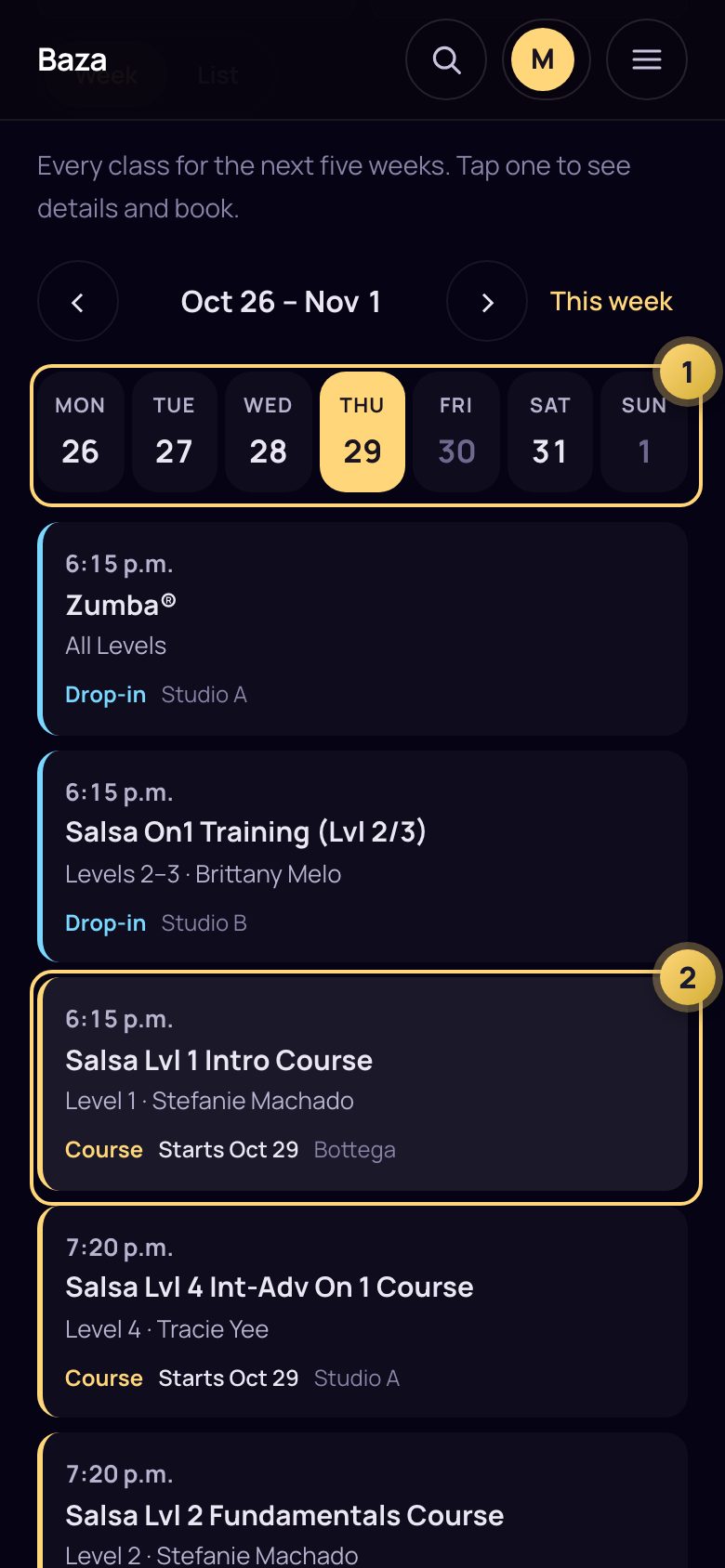
Open the Schedule
Tap Schedule at the top. Tap a day (1) to see its classes, then tap a class (2).
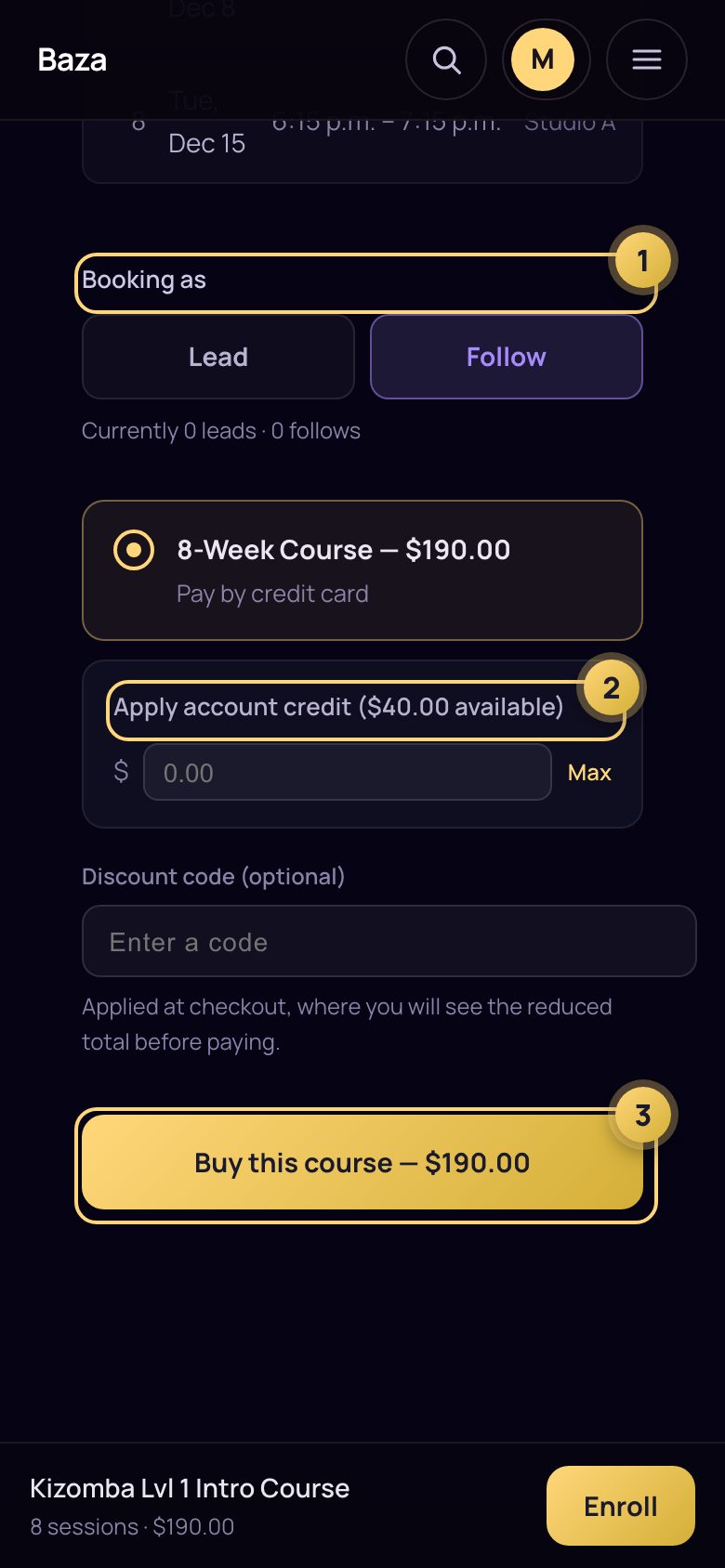
Check your role and how you will pay
Your default role is already chosen (1). If a pass or membership covers the class, it is used for you. If not, you can put account credit towards it (2) and pay the rest by credit card (3).
Find it in My classes
Make up a class you missed
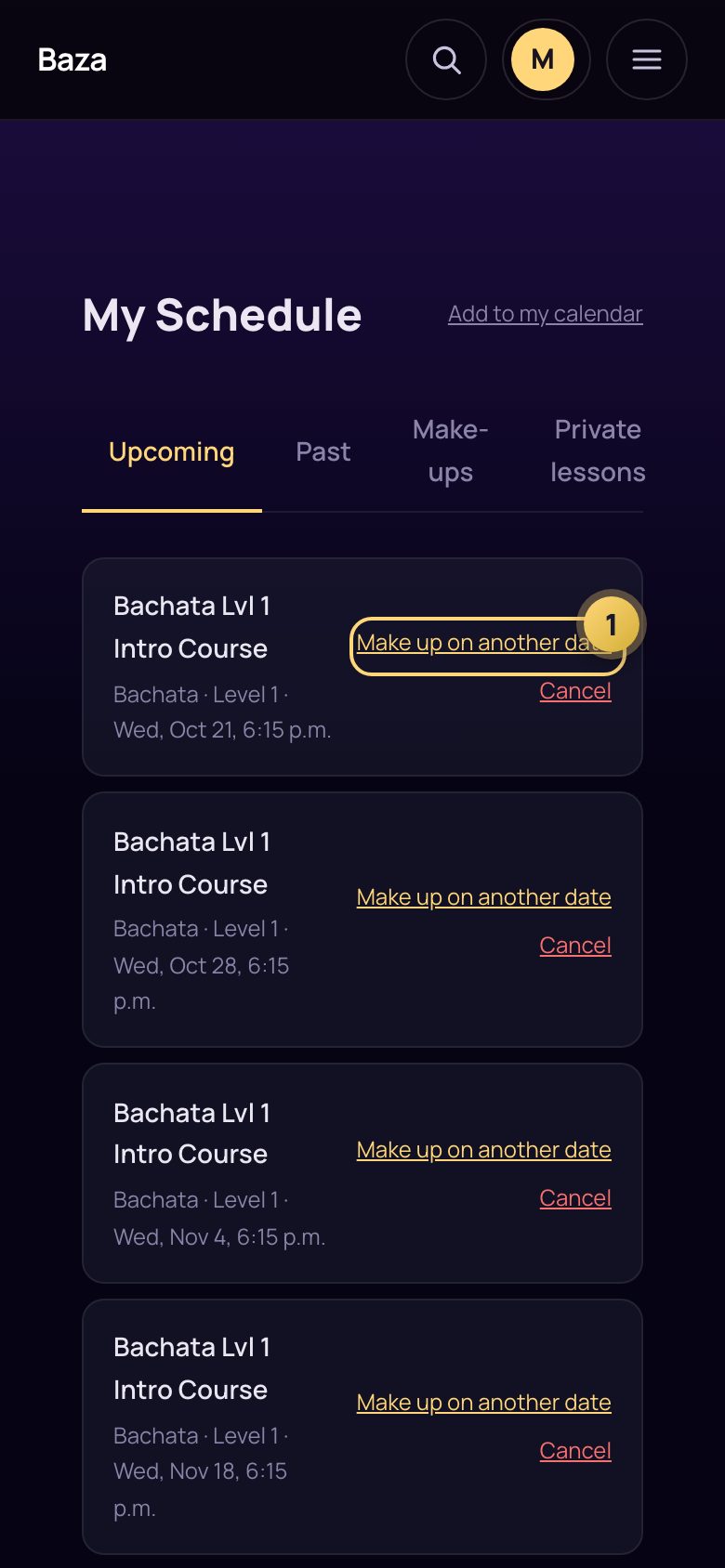
Go to My classes
Courses that offer make-ups show Make up on another date (1). If you do not see it, that course does not offer make-ups.
Choose another date
Pick a class within 14 days of the class you missed. You can make up 2 classes per course. If you then miss the make-up, you can choose again.
Your passes and account credit
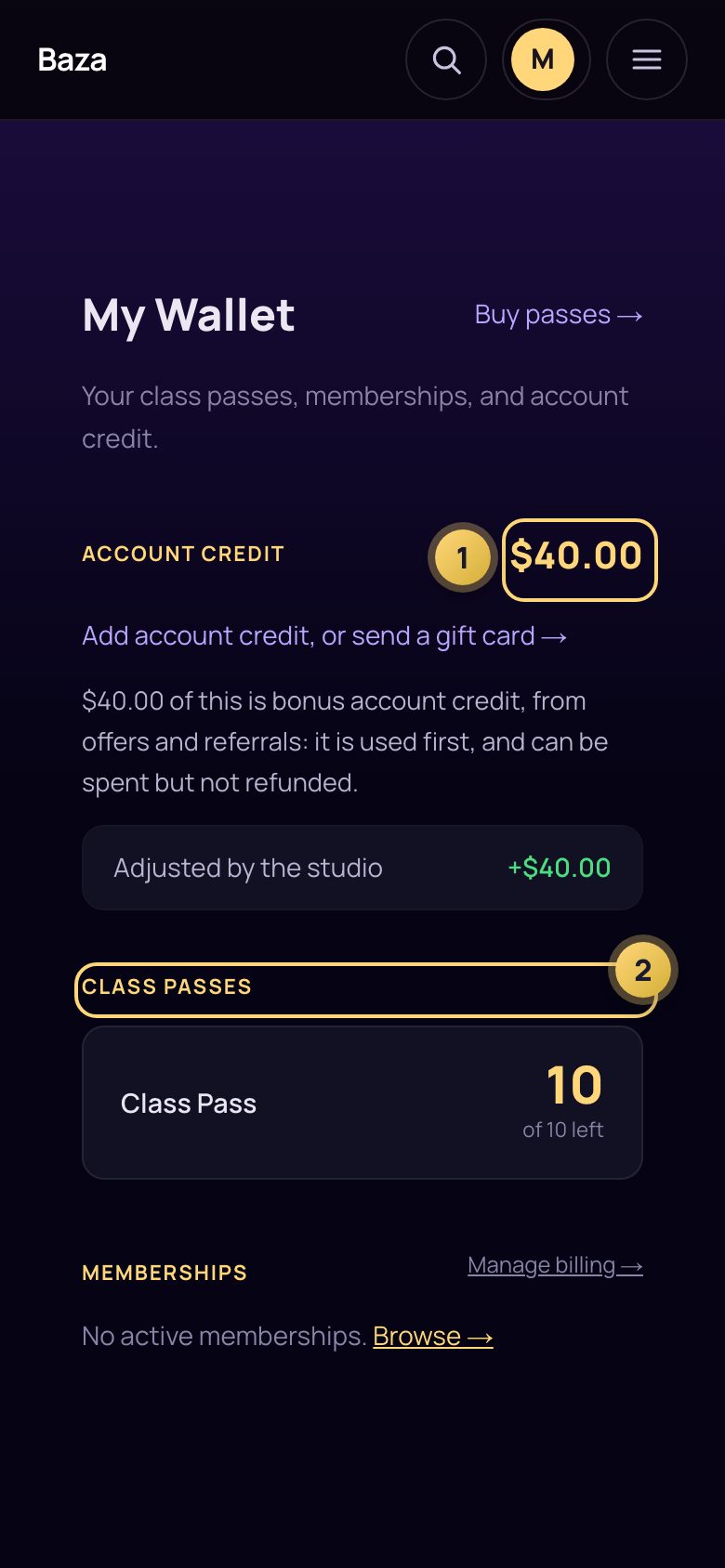
Open Passes & credit
Under your name, tap Passes & credit. Your account credit (1) and class passes (2) are here, with your memberships.
Top up, or send a gift card
Tap Add account credit, or send a gift card. Account credit you pay for never expires.
BazaLife, with the same account
Studio gear and drops at bazalife.com. Your Baza account works there too.
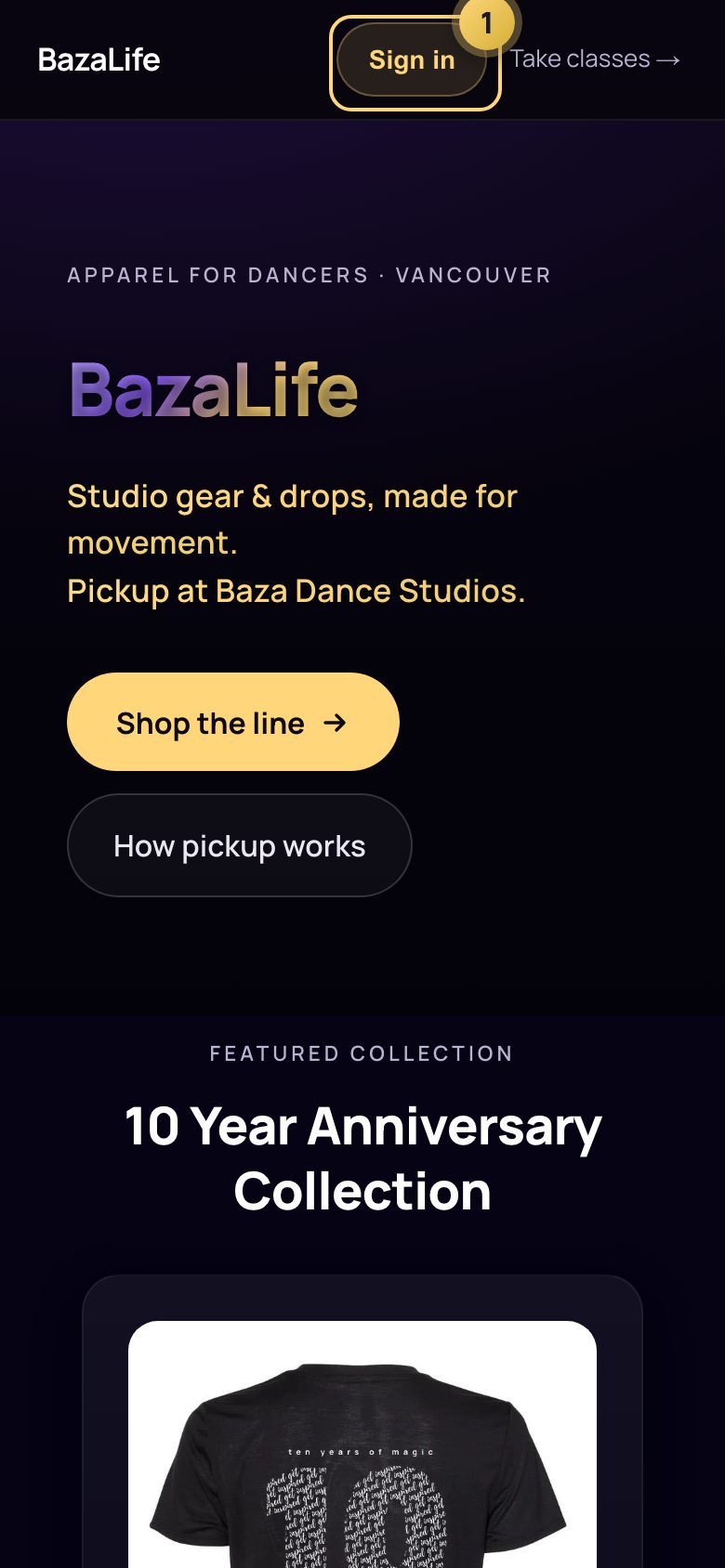
Sign in at bazalife.com
Use the same email and password as here (1). It is one account; you sign in on each site.
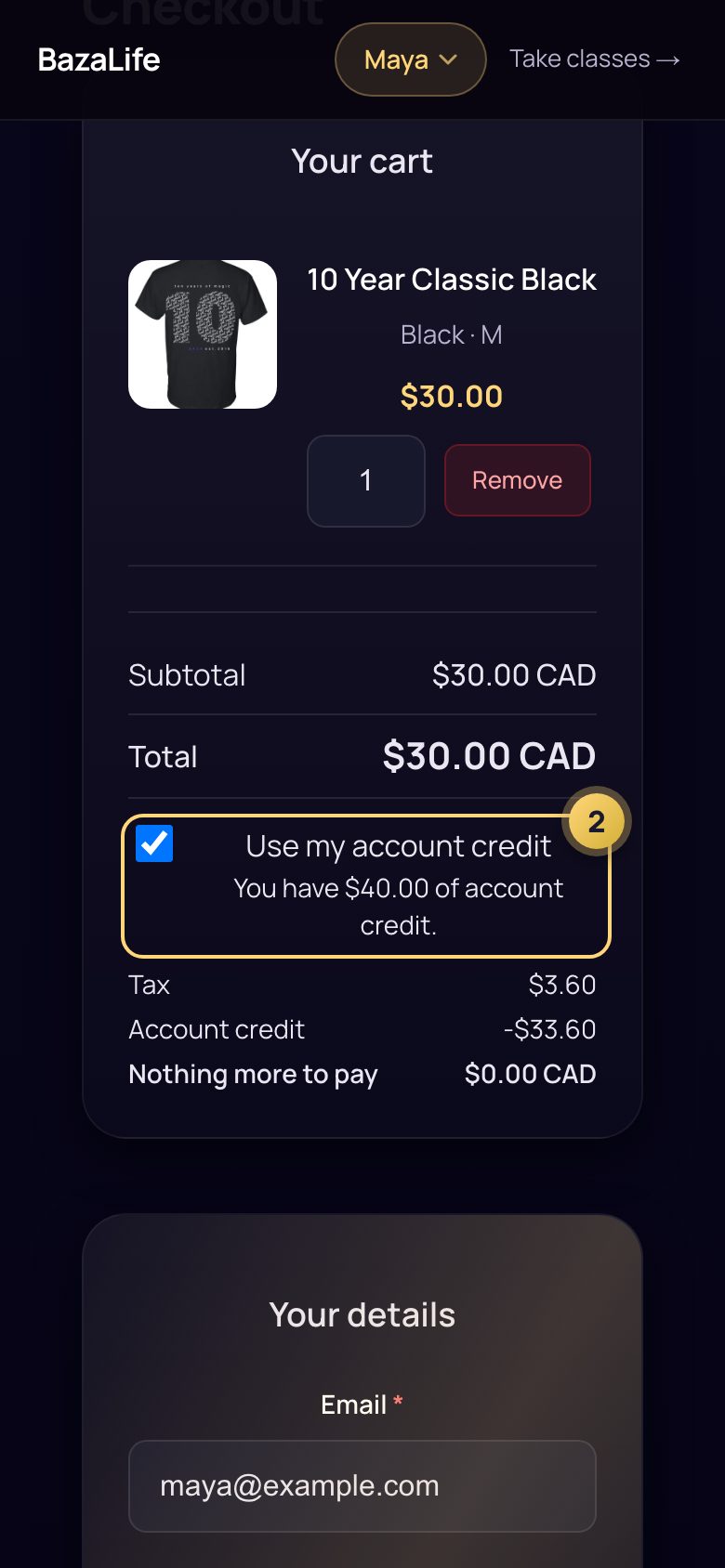
Use your account credit
In your cart, tick Use my account credit (2). Tax is added first, your account credit goes towards the total, and you pay anything left by credit card.
Pick it up at the studio
Good to know
Do I need a new account?
No. Sign in with the email you used before. The first time, tap Forgot password to set your password.
Where are my passes from before?
Under your name, in Passes & credit. If something looks wrong, email us and we will put it right.
Which courses offer make-ups?
Only some do. Those courses show a Make up on another date button in My classes.
How does the waitlist work?
If a place opens and a pass or membership covers it, you are moved in automatically and we email you. If you would need to pay, we hold the place for 6 hours so you can. Partner classes keep leads and follows balanced, so the next person who fits the balance moves in first.
What if I miss my make-up class?
It is not used up. Choose another date within 14 days of the class you missed.